
IoT Hub — machine monitoring and automatic alerts
Connect sensors and controllers, watch machine parameters live and let the system react on its own: when a value crosses a threshold, IoT Hub opens an alert, and at Alarm level it creates a work order in the CMMS.
IoT Hub is SimplyMobile's monitoring layer. It collects measurements straight from the shop floor — from machine sensors and controllers — shows them live and, when something goes out of range, opens an alert on its own and, if needed, requests a repair. Problems become visible before they turn into failures, and the response no longer depends on whether someone happens to be watching a screen.
Live parameter monitoring
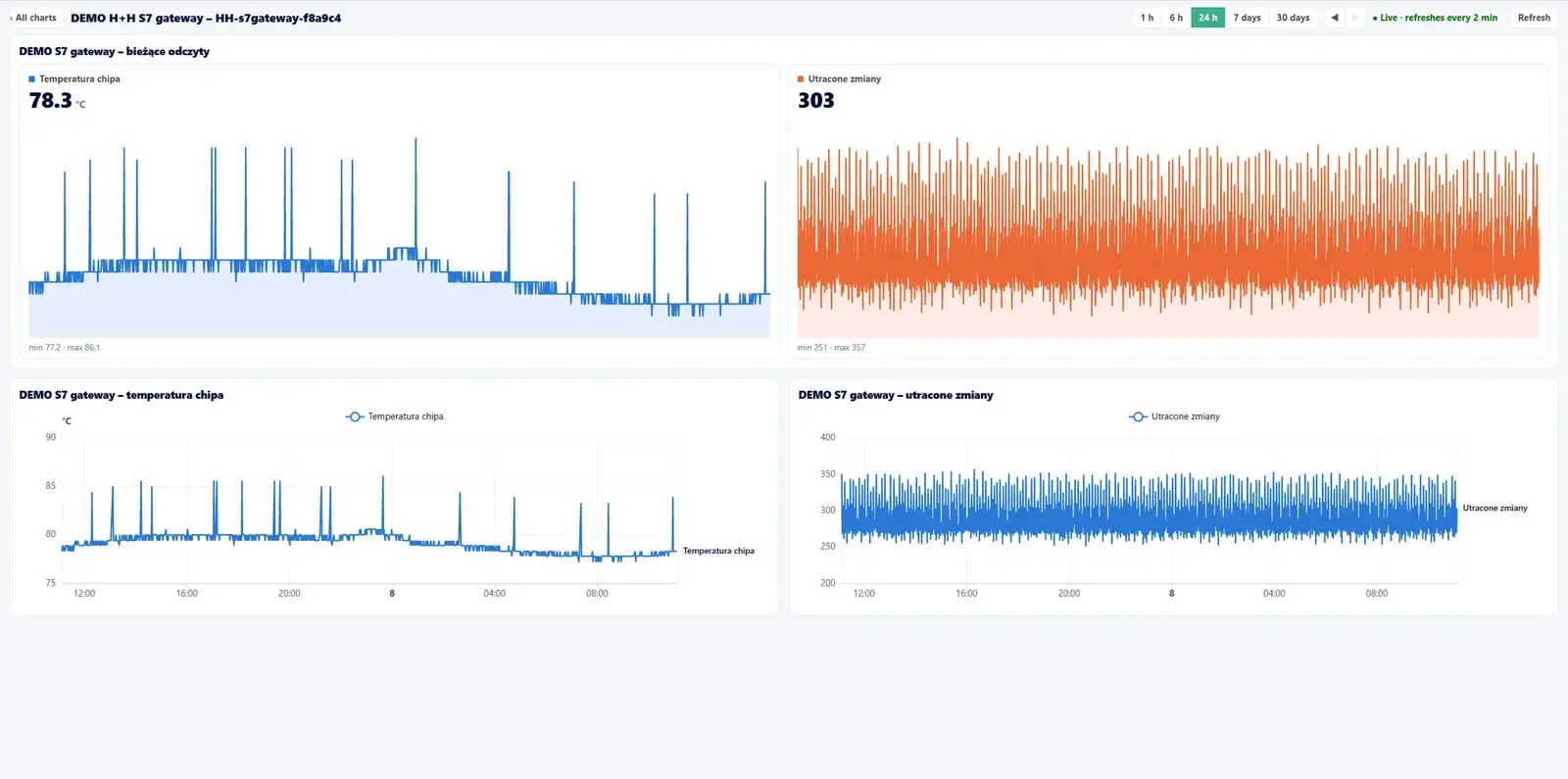
Every device has its own dashboard: tiles with the current value, charts with history and threshold lines, and gauges showing how close a reading is to its limit. The pages refresh automatically, and the system evaluates the rules non-stop — even when nobody has the app open.
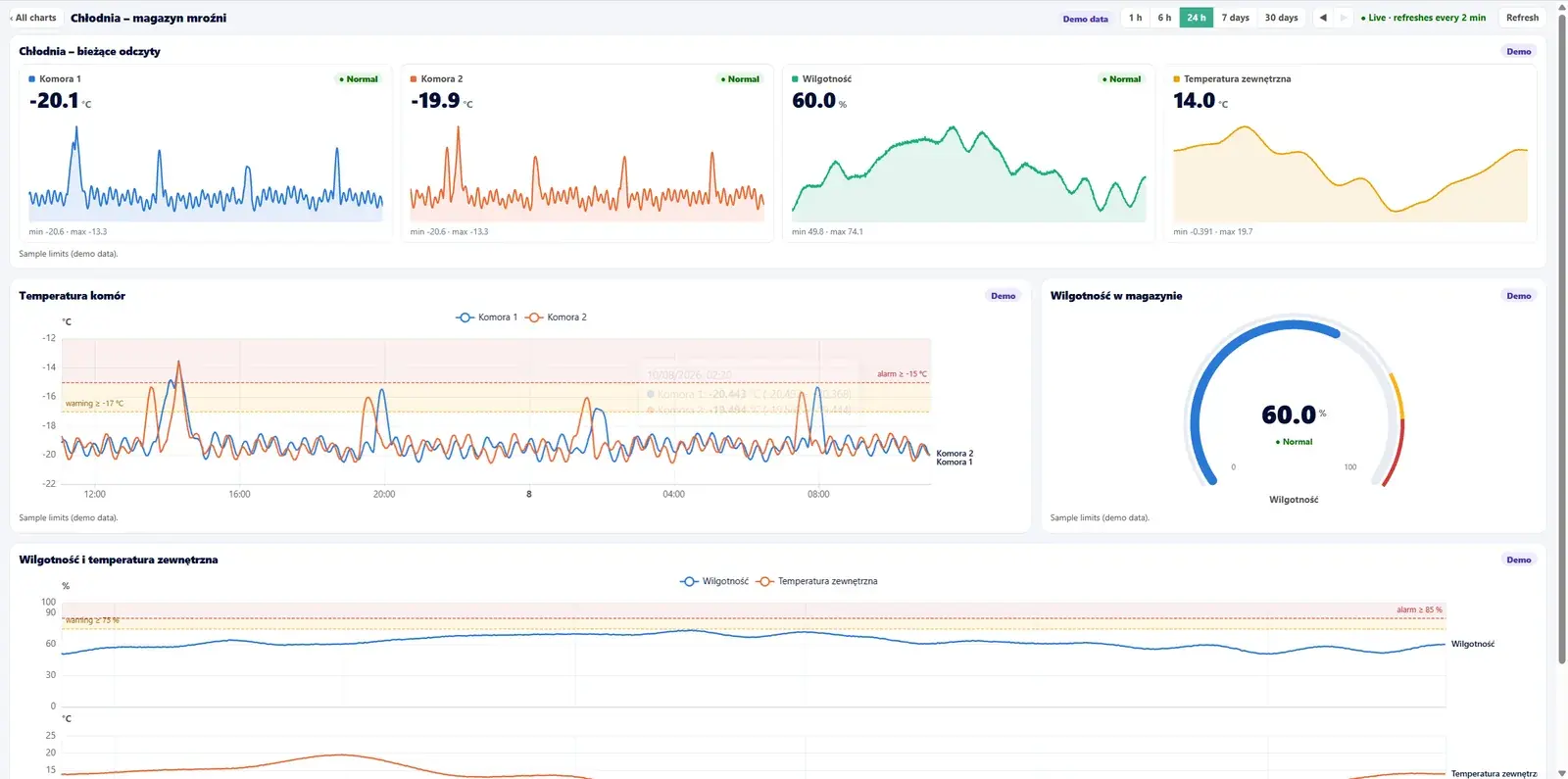
Smart alerts — without false alarms
For each measurement you set two thresholds: Warning and Alarm. The same alert raises and lowers its level instead of creating new entries. To avoid reacting to single spikes and values flickering near the limit, the rules add extra mechanisms:
- Delay — the alert opens only after several consecutive readings above the threshold, so a momentary spike won't trigger it.
- Hysteresis — the alert clears only once the value returns with a margin below the threshold, so it doesn't flicker at the limit.
- Min and max limits — a rule can watch both an upper breach and a drop below a value.
- Work schedule — a rule can be active only on selected days and hours (e.g. during a shift).
- No data from the device — a separate rule detects when a machine stops sending measurements.
From alert to CMMS work order
Monitoring makes sense when it ends in action. When an alert reaches Alarm level, SimplyMobile automatically creates a work order in the CMMS — noting which device and which rule it concerns. One alert means at most one work order, so the queue doesn't fill up with duplicates. This closes the loop between monitoring and maintenance: from a sensor reading to a repair in one system.
Benefits
- Earlier warning — you react to a trend before it becomes a failure and unplanned downtime.
- Response without watching screens — the system guards the thresholds around the clock and reports the problem itself.
- Fewer false alarms — delay and hysteresis filter out momentary spikes.
- Closed loop with the CMMS — an alert becomes a work order and reaches the maintenance team.
- Use of existing automation — you connect the controllers you already have (S7, Modbus, OPC UA).
- Secure cloud — data flows through Azure IoT Hub, and monitoring is covered by our ISO 27001 certificate.
Security and integration
Shop-floor data reaches the cloud through Azure IoT Hub — Microsoft's service for secure, scalable ingestion of device messages. Transport uses the lightweight MQTT protocol, and on the machine side we connect controllers and sensors (including Siemens S7, Modbus, OPC UA) through our integration platform.
IoT Hub is part of the SimplyMobile platform and runs in the cloud or on-premise. We write more about IoT in maintenance in our knowledge base, and about security and compliance on the ISO / NIS2 portal page.
Explore SimplyMobile modules
Extend the CMMS with modules tailored to your processes:
Frequently asked questions
- Which sensors and controllers can be connected?
We connect PLC controllers and sensors used in industrial automation — including Siemens S7, Modbus and OPC UA — as well as IoT devices publishing over MQTT. Shop-floor data is received by Azure IoT Hub, and the integration is handled by our integration platform.
- What is the difference between Warning and Alarm?
They are two levels of the same alert. Warning appears after the first threshold is crossed, Alarm after the second, higher one. The alert raises and lowers its own level, and only the Alarm level creates a work order in the CMMS.
- How do you avoid false alarms?
With two mechanisms. Delay requires several consecutive readings above the threshold, so a single spike won't trigger an alert. Hysteresis means the alert clears only once the value returns with a margin below the threshold — so it doesn't flicker at the limit.
- Will IoT Hub create the CMMS work order by itself?
Yes. When an alert reaches Alarm level, SimplyMobile automatically creates a work order in the CMMS with details of the device and the rule. One alert means at most one work order, so no duplicates are created.
- Will you detect that a device stopped sending data?
Yes. A separate "No data from the device" rule opens an alert when a machine stops sending measurements — e.g. after a loss of power or connectivity.
- Does IoT Hub work in the cloud and on-premise?
Yes. IoT Hub is part of the SimplyMobile platform and can run in the Microsoft Azure cloud or in your own infrastructure (on-premise). Data is covered by our ISO/IEC 27001 information security management system.
See SimplyMobile in action
Book a free, no-obligation demo — we'll show the system on your own processes.